Employee Laptop Screen Monitor
Gain real-time visibility into employee screens with live monitoring and automated screenshots. Get visual oversight, security monitoring, and compliance tracking for remote teams.
No credit card required. Free trial available.
Work Intelligence Trusted by Teams Across Industries
Visual Oversight Made Simple
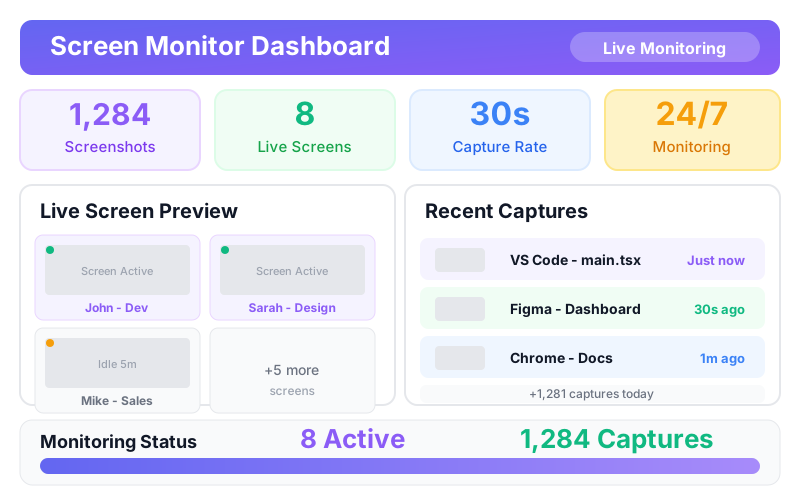
Monitor employee screens in real-time with automated screenshots and recordings that provide visual proof of work, enhance security, and ensure compliance with privacy protection.
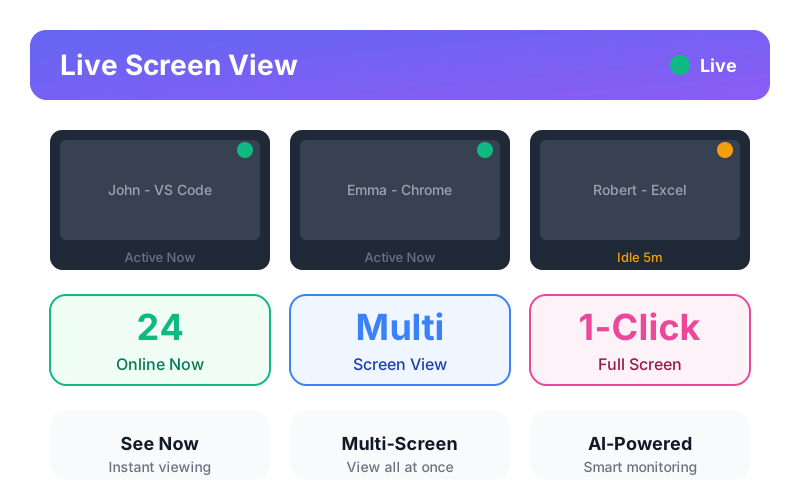
Real-Time Live Screen Viewing
View employee screens instantly and prevent productivity blind spots with AI-powered real-time monitoring that provides immediate visual verification while eliminating the need for constant check-ins. Intelligent monitoring automatically identifies important moments for review.
Try Taskgati for Free Today
See all features in action - no credit card required
Screen Monitoring Features
Comprehensive visual monitoring tools that balance security needs with privacy rights, providing the oversight you need while respecting employee boundaries.
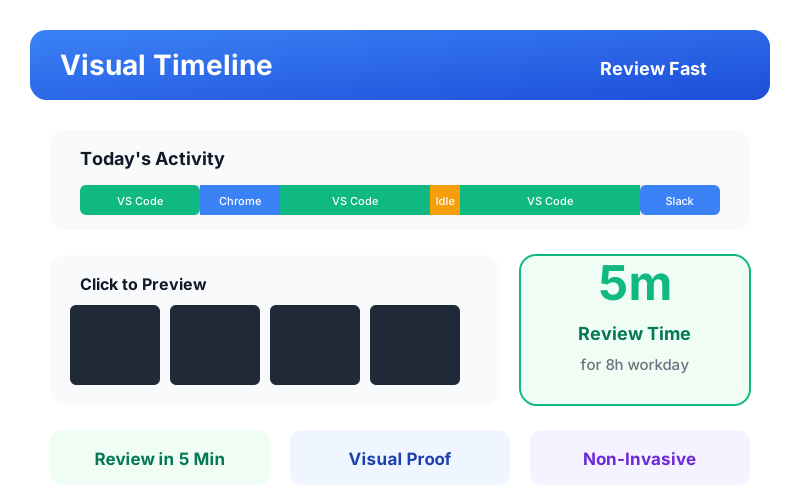
Visual Activity Timeline
Review entire workdays in 5 minutes and eliminate time-consuming verification with interactive timelines that provide instant visual proof of work without invasive real-time monitoring.
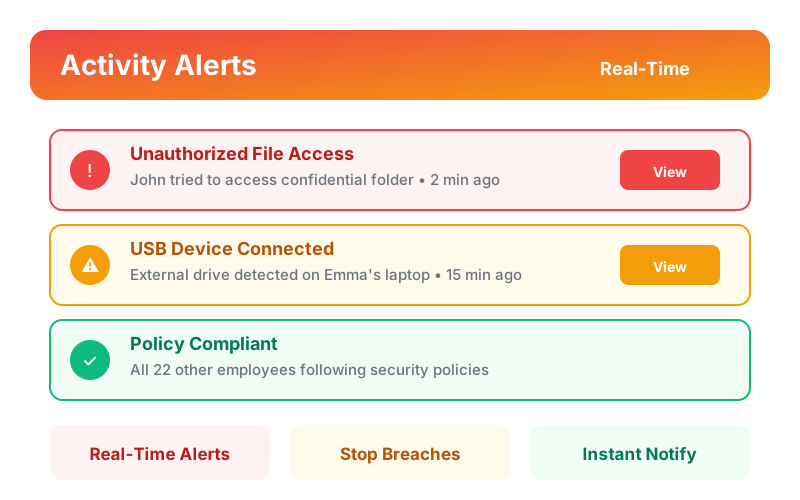
Suspicious Activity Alerts
Detect security threats before data leaves your organization and prevent insider threats with real-time alerts that stop breaches through immediate intervention.
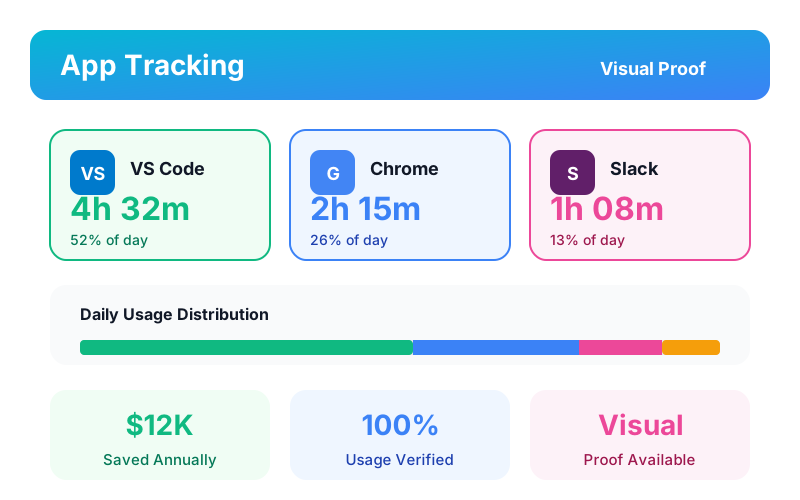
Application Usage Tracking
Save thousands annually and eliminate unauthorized software with visual usage tracking that verifies tool adoption while identifying training needs.
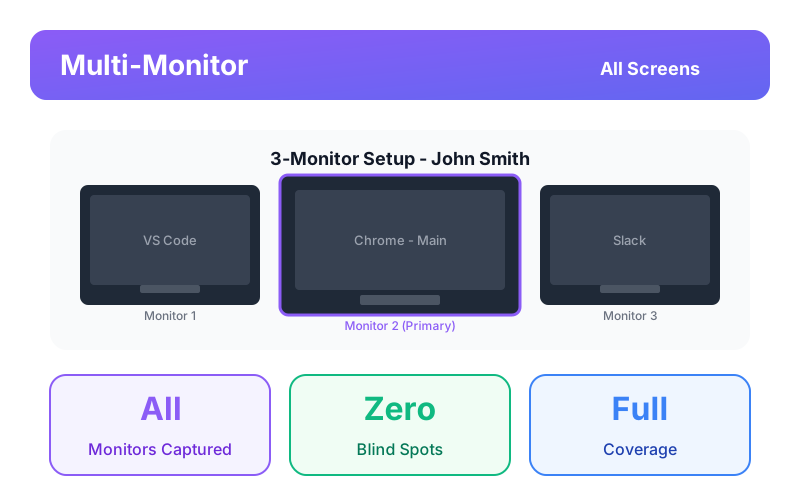
Multi-Monitor Support
Ensure complete security coverage and prevent blind spots with multi-display capture that monitors all screens simultaneously for comprehensive visibility.
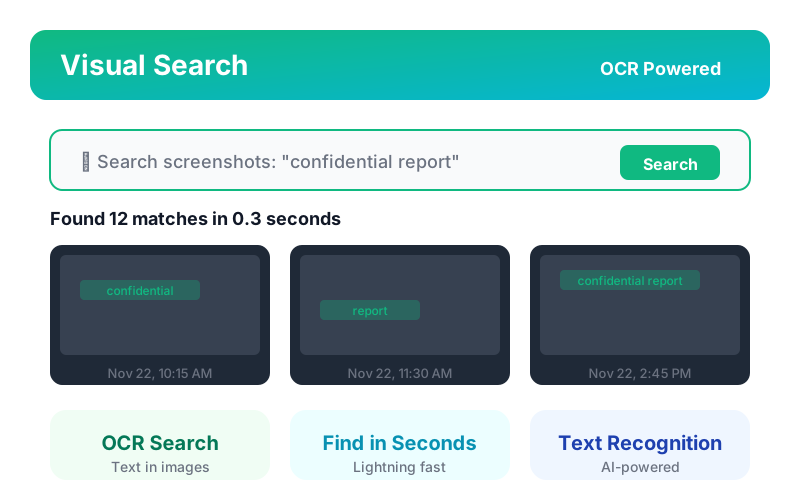
Visual Search & OCR
Find critical evidence in seconds and accelerate compliance investigations with OCR-powered search that transforms visual archives into searchable knowledge.
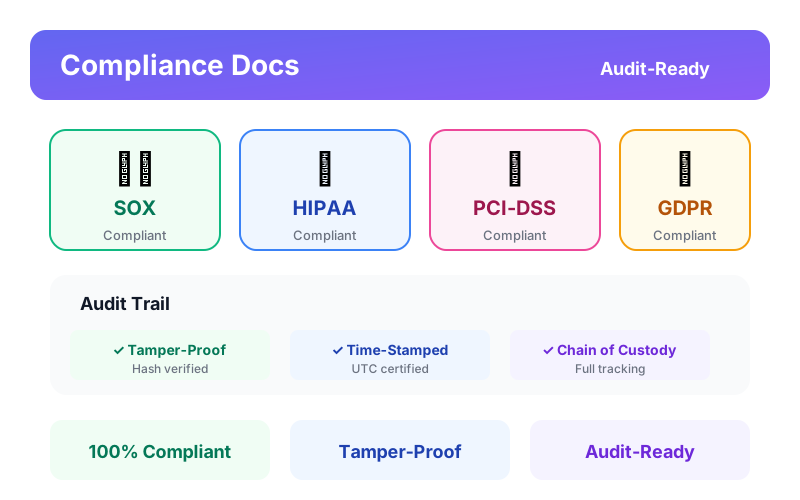
Compliance Documentation & Audit Trails
Ensure regulatory compliance and prevent audit failures with tamper-proof visual documentation that demonstrates due diligence while meeting SOX, HIPAA, and PCI-DSS requirements.
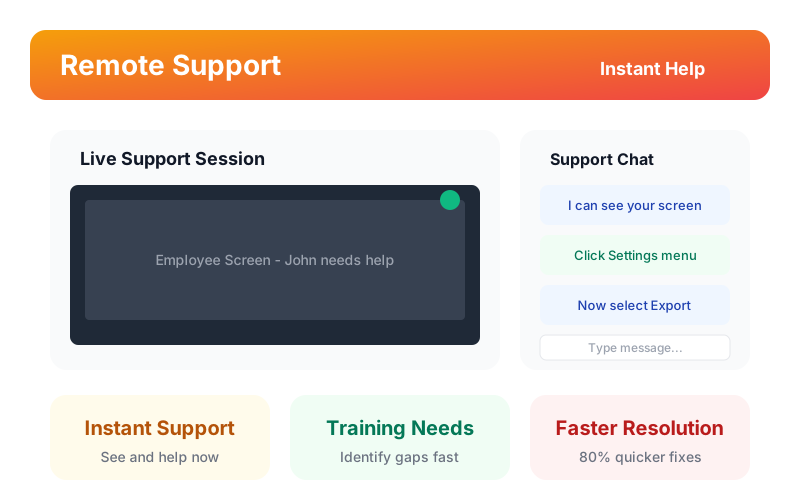
Remote Support & Training
Provide instant remote assistance and identify training needs with real-time screen viewing that enables faster problem resolution while creating authentic training materials from actual workflows.
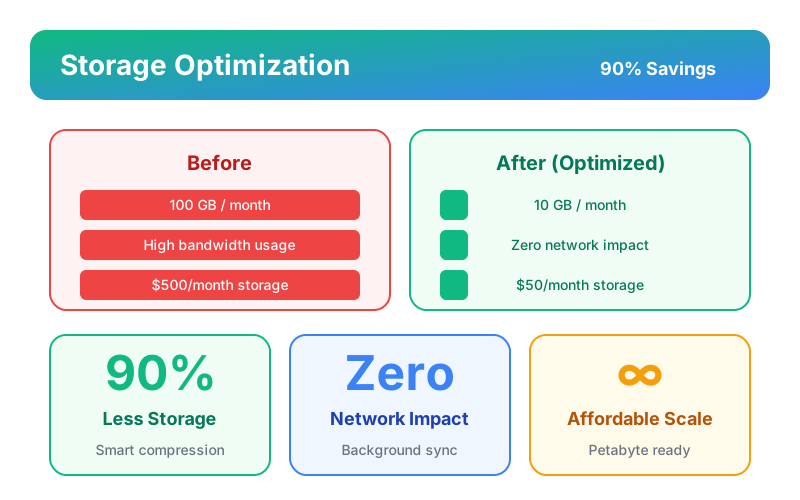
Bandwidth & Storage Optimization
Reduce storage costs by 90% and eliminate network impact with intelligent compression that manages petabytes of screenshots affordably while maintaining crystal-clear visual clarity.
Experience All Features
Start your free trial today
Get Organized in Your Own Way
Use these features to limit data access, organize teams, and get the most out of Taskgati screen monitoring with flexible configuration options.
Manager Login
Let managers see only their teams' screen data, analyze screen activity, and adjust screen monitoring settings. Role-based permissions ensure data privacy while empowering team leaders with the screen monitoring insights they need.
Employee Login
Promote transparency and accountability by giving your employees access to their own screen data. Workers can view their screenshot history, screen activity logs, and monitoring status to understand their work patterns.
REST API
Integrate screen monitoring data with security systems, compliance tools, and custom applications. Connect Taskgati screen data to your existing software stack seamlessly.
Raw Data Access
Get detailed data about screen captures, screen activity, and monitoring events. Export raw screen monitoring data for custom analysis, compliance reporting, or integration with business intelligence tools.
Smart Alerts
Get alerts based on screen activity, policy violations, or security events. Set custom thresholds for screen monitoring and receive instant notifications via email, WhatsApp, or in-app to take timely action.
Monitor Screens Across Unlimited Devices
From single offices to distributed teams, Taskgati screen monitoring scales to monitor unlimited employee screens. Configure capture policies, customize privacy settings, and manage screen monitoring across departments and locations.
How Screen Monitoring Works for Different Teams
Flexible visual monitoring solutions for secure office environments and remote teams with customizable capture policies that balance security needs with privacy rights.
Secure Office Environments
Perfect for office teams requiring high security and compliance. Taskgati employee laptop screen monitor provides continuous screen capture, real-time screen viewing, and comprehensive visual audit trails. Security teams can monitor screens in real-time, review screenshot archives, and ensure compliance with visual documentation across all company-managed devices and workstations.
Remote & BYOD Teams
Ideal for remote teams and BYOD environments requiring flexible monitoring. Taskgati screen monitoring enables privacy-conscious screen capture with configurable schedules, employee-controlled sessions, and smart blur technology. Remote workers can maintain privacy during personal time while providing visual proof of work during active tracking sessions with transparent monitoring policies.
Incredibly Easy to Install on Both Mac and Windows
Try the simplest solution today.
Windows
Windows 10 and above
macOS
macOS 10.15 and above
Linux
Ubuntu 18.04 and above
No credit card required
Use Cases
Discover how employee monitoring transforms business operations across different scenarios and challenges.
Financial Services & Trading Compliance
Monitor trader screens to prevent insider trading, market manipulation, and regulatory violations. Visual evidence of trading decisions and communications. Compliance with FINRA, SEC, and financial regulations requiring trade surveillance. Screenshot archives for regulatory examinations and investigations. Real-time alerts for suspicious trading patterns or unauthorized account access. Essential for broker-dealers, investment firms, hedge funds, and any organization with regulatory oversight requiring visual monitoring for compliance and risk management.
Financial Services & Trading Compliance
Monitor trader screens to prevent insider trading, market manipulation, and regulatory violations. Visual evidence of trading decisions and communications. Compliance with FINRA, SEC, and financial regulations requiring trade surveillance. Screenshot archives for regulatory examinations and investigations. Real-time alerts for suspicious trading patterns or unauthorized account access. Essential for broker-dealers, investment firms, hedge funds, and any organization with regulatory oversight requiring visual monitoring for compliance and risk management.
Healthcare & HIPAA Privacy Protection
Monitor access to patient health information (PHI/ePHI) ensuring HIPAA compliance. Visual verification of appropriate data access and use. Detect unauthorized PHI viewing or potential HIPAA violations. Screenshot evidence for breach investigations. Privacy blur automatically protects patient data in captured images. Audit trail documentation for healthcare compliance officers. Essential for hospitals, medical practices, insurance companies, and healthcare providers requiring visual proof of HIPAA compliance and patient privacy protection.
Healthcare & HIPAA Privacy Protection
Monitor access to patient health information (PHI/ePHI) ensuring HIPAA compliance. Visual verification of appropriate data access and use. Detect unauthorized PHI viewing or potential HIPAA violations. Screenshot evidence for breach investigations. Privacy blur automatically protects patient data in captured images. Audit trail documentation for healthcare compliance officers. Essential for hospitals, medical practices, insurance companies, and healthcare providers requiring visual proof of HIPAA compliance and patient privacy protection.
Government & Classified Information Security
Monitor screens handling classified or sensitive government information. Detect unauthorized data access, improper handling, or security violations. Visual evidence for security clearance investigations. Screenshot documentation for audit and compliance requirements. Insider threat detection through abnormal screen activity patterns. Essential for federal agencies, defense contractors, and organizations with government security clearance requirements needing visual verification of classified information handling and access control compliance.
Government & Classified Information Security
Monitor screens handling classified or sensitive government information. Detect unauthorized data access, improper handling, or security violations. Visual evidence for security clearance investigations. Screenshot documentation for audit and compliance requirements. Insider threat detection through abnormal screen activity patterns. Essential for federal agencies, defense contractors, and organizations with government security clearance requirements needing visual verification of classified information handling and access control compliance.
Call Center Quality Assurance
Monitor customer service representative screens during customer interactions for quality assurance and training. Verify correct procedures followed and accurate information provided. Screenshot documentation of customer issues for resolution tracking. Training material creation from actual customer interactions. Detect fraud or inappropriate behavior during customer calls. Performance coaching based on visual observation of work quality. Perfect for call centers, customer support teams, and contact centers requiring quality monitoring and agent coaching.
Call Center Quality Assurance
Monitor customer service representative screens during customer interactions for quality assurance and training. Verify correct procedures followed and accurate information provided. Screenshot documentation of customer issues for resolution tracking. Training material creation from actual customer interactions. Detect fraud or inappropriate behavior during customer calls. Performance coaching based on visual observation of work quality. Perfect for call centers, customer support teams, and contact centers requiring quality monitoring and agent coaching.
Remote Employee Accountability
Verify remote employees work during scheduled hours through visual screen monitoring. Detect time theft or unauthorized personal activities during work time. Screenshot evidence for performance management or termination discussions. Accountability without invasive surveillance through periodic sampling. Trust-but-verify approach maintains productivity standards for distributed workforce. Balance remote work flexibility with organizational accountability needs. Essential for companies with remote workforces requiring performance verification.
Remote Employee Accountability
Verify remote employees work during scheduled hours through visual screen monitoring. Detect time theft or unauthorized personal activities during work time. Screenshot evidence for performance management or termination discussions. Accountability without invasive surveillance through periodic sampling. Trust-but-verify approach maintains productivity standards for distributed workforce. Balance remote work flexibility with organizational accountability needs. Essential for companies with remote workforces requiring performance verification.
Intellectual Property & Data Loss Prevention
Detect unauthorized copying, screenshotting, or photographing of confidential information. Monitor for data exfiltration attempts to personal email, USB drives, or cloud storage. Visual evidence of IP theft or confidential data misuse. Real-time alerts for suspicious copy-paste patterns or unauthorized application access. Investigation capabilities for security incidents. Essential for companies with valuable IP, confidential client data, or trade secrets requiring visual monitoring for data loss prevention and intellectual property protection.
Intellectual Property & Data Loss Prevention
Detect unauthorized copying, screenshotting, or photographing of confidential information. Monitor for data exfiltration attempts to personal email, USB drives, or cloud storage. Visual evidence of IP theft or confidential data misuse. Real-time alerts for suspicious copy-paste patterns or unauthorized application access. Investigation capabilities for security incidents. Essential for companies with valuable IP, confidential client data, or trade secrets requiring visual monitoring for data loss prevention and intellectual property protection.
Ready to Transform Your Workplace?
Join 800+ teams already using Taskgati to boost productivity, improve accountability, and drive better business results.
Works With the Tools You Already Use
Connect your employee monitoring software and task management app with project tracking tools, communication platforms, and productivity apps via Zapier integration.
Slack
Communication
Trello
Project Management
Asana
Project Management
Jira
Project Management
Google Workspace
Productivity
Microsoft 365
Productivity
Notion
Productivity
Monday.com
Productivity
Zoom
Communication
HubSpot
CRM
Mailchimp
Marketing
Zapier
Automation
Automate workflows between your task management software, time tracking software, and 5000+ business apps with Zapier integration.
How Do You Want to Securely Store Your Screen Monitoring Data?
Choose the deployment option that best fits your security requirements and infrastructure for screen monitoring data storage.
Cloud-Based Screen Monitoring Storage
The best option for teams who want fast, easy setup for screen monitoring in just a few minutes. No tricky setup, added technical equipment, or involvement from your IT team. Your screen monitoring data is safely stored on industry-leading cloud infrastructure using the latest security standards.
Perfect for: Small to medium businesses, remote teams monitoring screens, and companies wanting quick screen monitoring deployment
On-Premise Screen Monitoring Storage
Wanting to store your screen monitoring data on your own servers? Our on-premise solution is for teams who don't mind a little extra technical effort and have the IT team to pull it off. Your company provides the servers, we help you deploy screen monitoring securely on your infrastructure.
Perfect for: Enterprises, regulated industries monitoring screens, and organizations with strict data sovereignty requirements for screen monitoring
Enterprise-Grade Security for Screen Monitoring Data
256-bit Encryption
Bank-level protection for screen data
GDPR Compliant
Privacy regulations for screen monitoring met
Role-Based Access
Control who sees screen data
Audit Logs
Complete screen monitoring activity trails
The Ultimate Guide to Employee Laptop Screen Monitor
Everything you need to know about Employee Laptop Screen Monitor for your business
Topics
What is Employee Screen Monitoring Software?
Employee screen monitoring software captures visual images of employee computer screens—either as periodic screenshots or continuous video recording—providing employers with direct visibility into what employees are doing on their computers. This goes beyond activity logging to create visual documentation of work, enabling supervision, security monitoring, compliance documentation, and quality assurance. In 2026, modern screen monitoring leverages AI-powered privacy protection, intelligent anomaly detection, and automated compliance features to provide comprehensive oversight while respecting employee privacy.
Evolution of Screen Monitoring: Screen monitoring technology has evolved significantly from early keylogger-based systems to today's sophisticated AI-powered platforms. Early systems captured basic screenshots with minimal privacy protection. Modern solutions like Taskgati use intelligent blur technology, predictive analytics, and automated compliance features to provide comprehensive monitoring while respecting privacy. The evolution reflects growing emphasis on responsible monitoring that balances organizational needs with employee rights.
Purpose & Applications: Screen monitoring serves multiple organizational needs: verifying remote employee productivity, ensuring security policy compliance, documenting work for client billing, training new employees through observation, investigating security incidents, meeting regulatory requirements for visual audit trails, and providing remote support. Unlike activity tracking showing which applications are used, screen monitoring shows exactly what employees are doing within those applications. Visual evidence provides objective documentation that activity logs cannot match.
Types of Screen Monitoring:
Periodic Screenshots: Capture still images at configurable intervals (every 10 seconds to hourly). Screenshots stored chronologically create visual timeline of workday. Less storage intensive than video. Provides spot-check verification without continuous surveillance. Most common screen monitoring approach balancing oversight needs with storage costs. AI-powered screenshot analysis automatically identifies important moments, reducing need to review every image manually.
Continuous Screen Recording: Records screen activity as video file showing every action and mouse movement. Provides complete documentation with no gaps. Much higher storage requirements than screenshots. Used when complete visual audit trail is mandatory (financial trading, classified information). Some jurisdictions restrict continuous recording due to privacy concerns. Modern compression technologies reduce storage requirements by 90%+ while maintaining visual clarity.
Live Screen Viewing: Real-time view of employee screen as they work. No storage required for immediate supervision. Enables instant intervention when issues detected. Used for training, remote support, and active security monitoring. Most invasive form requiring careful implementation to avoid legal issues and employee backlash. AI-powered live viewing can automatically blur sensitive information in real-time, protecting privacy during active monitoring.
Triggered Capture: Screenshots or recording activated only when specific conditions met (accessing sensitive data, using prohibited applications, suspicious activity patterns). Reduces storage requirements while focusing monitoring on high-risk scenarios. Balances privacy with security needs. AI-powered trigger detection automatically identifies when capture should occur based on learned patterns and risk assessment.
AI-Powered Screen Monitoring (2026):
Intelligent Privacy Protection: AI automatically identifies and blurs sensitive information including passwords, credit card numbers, social security numbers, and personal data. Machine learning continuously improves blur accuracy. Context-aware blur respects privacy while maintaining oversight value. Reduces manual configuration and ensures consistent privacy protection.
Predictive Anomaly Detection: AI analyzes screen activity patterns to identify suspicious behavior before incidents occur. Machine learning models learn normal work patterns and flag deviations. Predictive alerts enable proactive intervention. Reduces false positives through intelligent pattern recognition.
Automated Compliance: AI automatically ensures compliance with regulations like HIPAA, FINRA, and GDPR. Intelligent retention policies automatically delete screenshots per legal requirements. Automated compliance reporting generates audit-ready documentation. Reduces compliance risk and administrative burden.
Smart Screenshot Analysis: AI analyzes screenshots to identify important moments automatically. Intelligent classification labels screenshots by activity type. Automated tagging makes screenshots searchable without manual review. Reduces time spent reviewing screenshots by 80%+.
Core Screen Monitoring Capabilities:
High-Resolution Capture: Screenshot quality sufficient to read text and see details. Configurable resolution balances clarity with file size. Multi-monitor support captures all connected displays simultaneously. AI-powered resolution optimization automatically adjusts quality based on content type, reducing storage while maintaining clarity.
Storage & Retention: Secure encrypted storage for screenshot archives. Automatic retention policies delete old screenshots per legal requirements. Intelligent compression reduces storage costs by 90%+ while maintaining visual clarity. Search and retrieval capabilities find specific screenshots quickly. AI-powered storage optimization automatically manages retention and compression.
Privacy Protection: Smart blur technology automatically obscures passwords, credit cards, and personal data using AI. Configurable blur rules respect privacy while maintaining oversight. Schedule-based monitoring (business hours only) vs continuous monitoring. AI continuously learns to improve blur accuracy and reduce false positives.
Analysis & Alerting: OCR text recognition makes screenshots searchable. AI-powered anomaly detection identifies suspicious patterns automatically. Real-time alerts for policy violations with intelligent filtering. Activity classification labels work as productive or unproductive based on screen content using machine learning.
Compliance & Audit: Tamper-proof storage ensures evidence integrity. Complete audit trails show who viewed which screenshots and when. Export capabilities for investigations and legal proceedings. Regulatory compliance features for FINRA, HIPAA, SOX requirements. AI-powered compliance automation ensures ongoing adherence to regulations.
Multi-Monitor Support: Modern screen monitoring captures all connected displays simultaneously. Panoramic view shows complete multi-monitor setup. Individual monitor tracking enables detailed analysis. Essential for modern workstations with multiple displays.
Visual Search & OCR: OCR technology extracts text from screenshots making them searchable. Visual search finds screenshots containing specific text or images. AI-powered image recognition identifies objects and patterns. Reduces investigation time from hours to seconds.
Legal & Ethical Considerations: Screen monitoring is legal in most jurisdictions when: employees are notified in advance, company-owned devices are monitored, legitimate business purpose exists, and monitoring is proportionate to purpose. EU privacy laws (GDPR) impose stricter requirements including explicit consent and data minimization. Always consult legal counsel about local laws before implementing screen monitoring. Transparent monitoring with employee notification builds trust and reduces legal risk.
Industry-Specific Applications:
Financial Services: Trading surveillance, compliance documentation, insider trading prevention. FINRA and SEC require visual monitoring for certain trading activities. Screenshot archives provide evidence for regulatory examinations.
Healthcare: HIPAA compliance, patient data access monitoring, privacy protection. Visual monitoring ensures appropriate PHI access. Privacy blur automatically protects patient information in screenshots.
Government & Defense: Classified information security, clearance monitoring, insider threat detection. Visual monitoring required for certain security classifications. Screenshot documentation provides audit trail for security investigations.
Call Centers: Quality assurance, agent training, compliance documentation. Visual monitoring verifies customer service procedures. Screenshot archives provide training materials from actual interactions.
Remote Work: Productivity verification, accountability, trust building. Visual monitoring provides objective verification for distributed teams. Screenshot evidence supports performance management discussions.
Taskgati's Responsible Approach: Taskgati provides enterprise-grade screen monitoring with industry-leading privacy protections. Our AI-powered intelligent blur technology prevents inappropriate data capture automatically. Configurable monitoring levels match your security needs without excessive surveillance. Predictive analytics identify issues proactively. Automated compliance ensures ongoing adherence to regulations. Transparent implementation builds employee trust while meeting organizational oversight requirements. Start monitoring screens responsibly with Taskgati.
Ready to Get Started?
Try Employee Laptop Screen Monitor free for 14 days. No credit card required.
Frequently Asked Questions
Get answers to common questions about Employee Laptop Screen Monitor
Still Have Questions?
Our team is here to help you get started with Employee Laptop Screen Monitor
Also Known For:
Try the Simplest Employee Monitoring Software Today
Join 800+ teams who have transformed their workplace productivity with Taskgati
For All Team Sizes
From small startups to large enterprises, Taskgati scales with your business
Proven Results
Teams report up to 40% productivity increase within the first month
Top Rated
Consistently rated as a leading employee monitoring solution